
PvP
Connect Four
Two viewers, seven columns, four in a row takes the pot.
A viewer challenges another, both stake points. They take turns dropping their chips into columns by typing a chat number 1 to 7. Whoever gets four in a row first, horizontal, vertical or diagonal, wins the whole pot.
!4gewinntConnect Four
Preview coming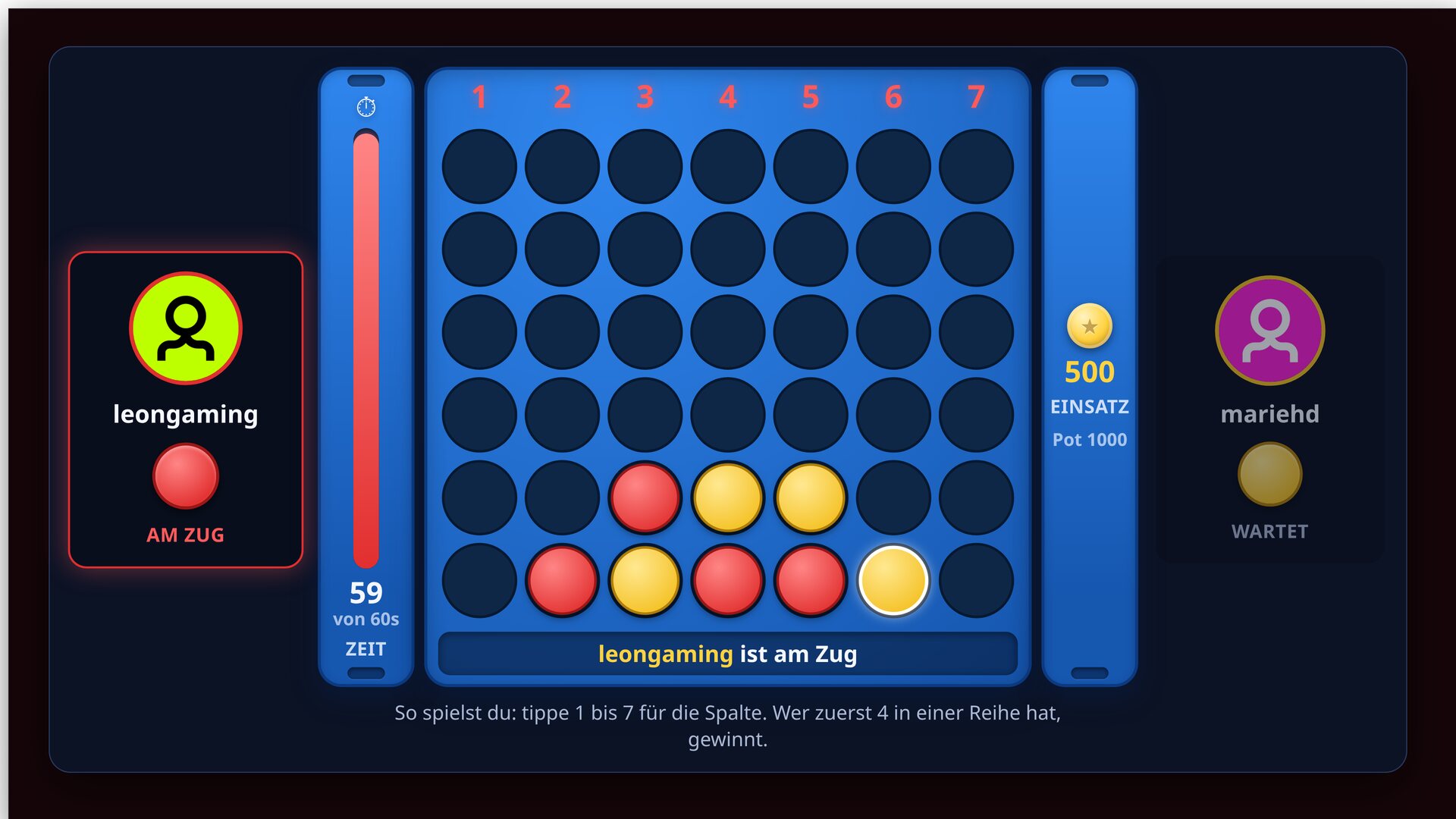
Features
// What's inside
01Classic 7x6 board, played entirely from chat
02Dead-simple input: just type the column number 1 to 7
03Visible turn clock with a max time, take too long and you lose
04Points stake: the winner takes the doubled pot, a draw refunds
05Win detection horizontal, vertical and diagonal with a glowing win line
06Player avatars, colours and animations for the drop and the win
07Also plays without points as a pure friendly game
08The board stays on screen permanently, surroundings transparent
How a round works
// Step by step
01
A viewer types !4gewinnt @opponent <stake>
02
The opponent accepts with !annehmen, both pay the stake
03
Take turns typing a number 1 to 7, the chip falls into the column
04
Four in a row (horizontal, vertical or diagonal) wins
05
The winner is paid the doubled pot automatically
06
Full board with no winner: a draw, both get their stake back
Chat commands
// What your community types
| Command | Who | Effect |
|---|---|---|
!4gewinnt @name <stake> | Viewer | Challenges another viewer |
!annehmen / !ablehnen | Challenged | Accept or decline the challenge |
1 to 7 | Player on turn | Drops a chip into that column |
!werfen <column> | Player on turn | Alternative to the bare number |
!aufgeben | Player | Give up, the opponent wins |
!end | Mod | Abort the match and refund open stakes |
Key settings
// What you tweak in config.js
enableCost- Real points (on) or a pure friendly game
minStake / maxStake- Lower and upper limit for the stake
turnTimeoutSec- Turn clock, too slow and you lose (0 = off)
acceptTimeoutSec- Time to accept the challenge
challengeCooldownSec- Pause per user between challenges
showColumnNumbers- Large 1 to 7 above the columns
overlayScale- Overall size of the overlay
lang / texts- Language and individual text overrides
Screenshots
// From the overlay