
Focus Room Twitch Overlay
One Pomodoro timer for everyone, separate to-do lists for you and your chat.
A calm co-working and study overlay: the timer splits the stream into focus and break phases, each viewer adds their goals via chat and ticks them off. A shared board counts what the room got done today. Four themes, all contrast-checked.
Set up in your browser, about three minutes. Easiest in Edge or Chrome.
!aufgabe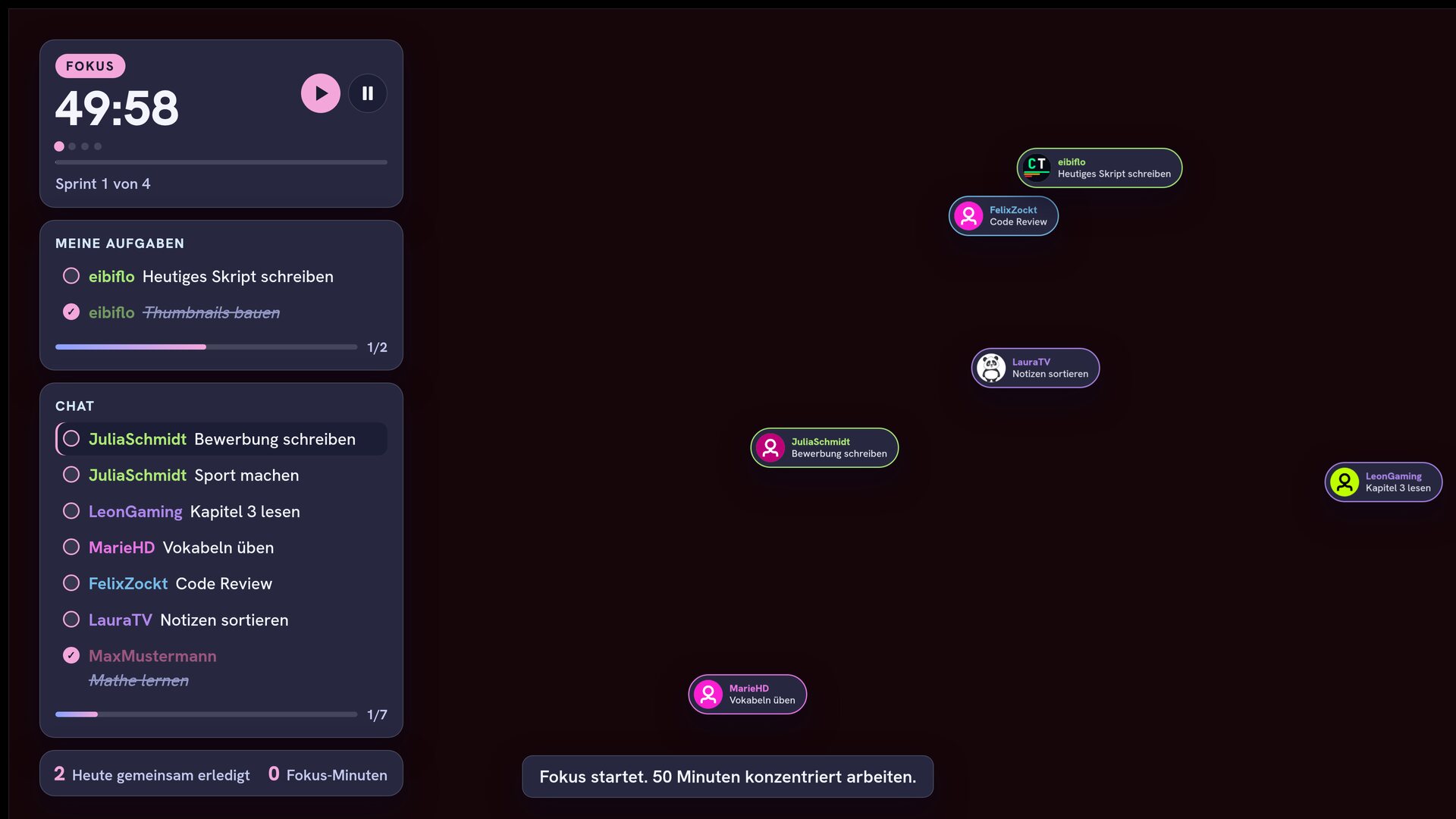
What this overlay does
// In short
Nobody likes working alone, and that is what this overlay takes away: your chat sits at the table, whether it is co-working, study-with-me or body-doubling. The timer structures the session into focus and break sprints, for example 50 minutes of focus and 10 minutes of break, while the chat works together. Every viewer creates their own goals with !aufgabe and checks them off with !fertig. Done tasks stay struck through as visible proof, and a shared counter bar celebrates the whole chat's progress. Optionally a small bubble with an avatar and the current task drifts across the scene per viewer and pops when it's done. Four built-in themes from dark blue through violet to pastel and cozy pink are freely extendable and all checked for WCAG contrast, with large, easy-to-read text. Every card, be it the timer, the task list or the board, can be placed freely in a corner or along an edge of the screen via config.js. Tasks and stats survive any OBS reload.
Features
// What's inside
How a round works
// Step by step
Chat commands
// What your community types
| Command | Who | Effect |
|---|---|---|
!aufgabe <goal> | Viewer | Add a task to your own list, several with a comma |
!fertig [no] | Viewer | Check off a task, without a number the latest open one |
!fokus <no> | Viewer | Mark the task you are currently working on |
!meineaufgaben | Viewer | Show your own open tasks in chat |
!timer <F>/<B>/<S> | Mod | Start a Pomodoro session, for example 50/10/4 |
!pause / !weiter | Mod | Pause and resume the timer |
!reset | Mod | Reset the session and clear the board |
Key settings
// What you tweak in config.js
theme- Look: aurora, nebula, kawaii or sakura (extendable)
layout- Position of each card: left, right, top, bottom or corners
focusMin- Length of a focus phase in minutes
breakMin- Length of a break in minutes
sprints- Number of focus sprints per session
enableBubbles- Turn the floating task bubbles on or off
showHostList- The streamer's own tasks in a separate card
maxTasksPerUser- Maximum open tasks per viewer
Screenshots
// From the overlay