
Add Twitch chat to OBS
Three ways, three different problems. The fastest one is rarely the right one.
Read with AI
Video guide
Step by step
// How it works
-
01
First decide who should see the chat
If you only want to read along while you play, you do not need an overlay, you need a dock. A dock is a window inside OBS that shows up neither in your recording nor on stream. Go to Docks in the top menu bar, Custom Browser Docks, give it a name and enter
https://www.twitch.tv/popout/YOURCHANNEL/chat. For a lot of people that is the whole answer. -
02
The fast way: popout chat as a browser source
If your viewers should see the chat, the same address goes into a browser source, the source type in OBS that displays a web page. Add source, Browser, then
https://www.twitch.tv/popout/YOURCHANNEL/chat, width 400, height 800. It works right away. It also drops the full Twitch interface, dark background included, into your scene. -
03
Why the popout route often falls short
That page only turns transparent if you put your own CSS into the browser source's Custom CSS field. Those break the moment Twitch changes its layout. On top of that every 7TV, BTTV and FFZ emote is missing, because they come from browser extensions that do not exist inside OBS. If either bothers you, take the third route.
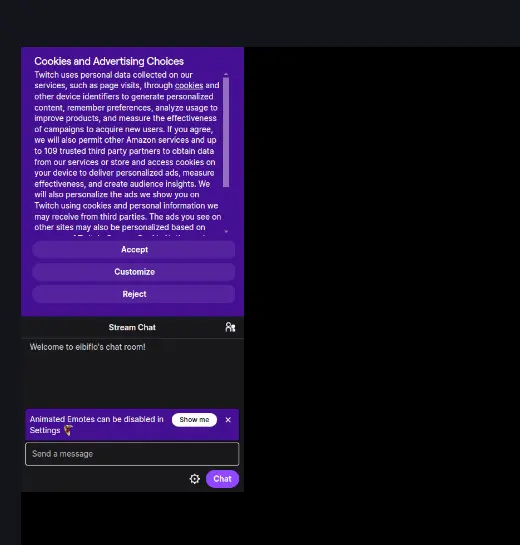
The popout brings all of Twitch's interface with it: the cookie prompt, an opaque background, the message box. OBS takes every bit of that into your scene. -
04
The clean way: a real chat overlay
A chat overlay draws the messages itself instead of filming somebody else's web page. The background is transparent by default, you decide on fonts and colours, and the emote services are queried directly. StreamElements and own3d both offer widgets, hosted and account-bound. My chat overlay is a single HTML file with no account, six themes, and emotes from 7TV, BTTV and FFZ.
The overlay running in OBS. New messages arrive at the bottom, the background stays transparent. Messages that are nothing but an emote launch a flight across the frame. The emotes come from 7TV, BTTV and FFZ, with no extension installed in OBS. -
05
Add it to OBS
You set the chat overlay up in the Config Hub: pick the chat overlay, enter your channel name, choose a folder when you save. Then create a browser source in OBS, tick Local file and pick the
widget.html. Width 1920 and height 1080, as the Config Hub shows: the chat overlay uses the whole canvas and places its column wherever you pick under Position in the hub. A narrow source cuts the column off, it is 440 pixels wide out of the box. Also tick Shutdown source when not visible, otherwise the source keeps its connection to chat open long after you have switched to another scene. The full setup lives in the browser source guide.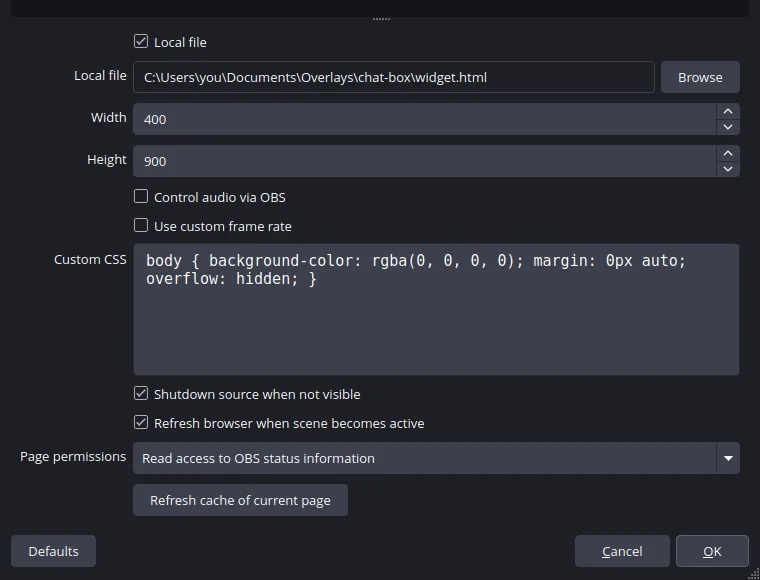
The browser source properties: Local file ticked, widget.html selected, width 400 and height 900. Further down sits the tick that puts the source to sleep when you switch scenes. 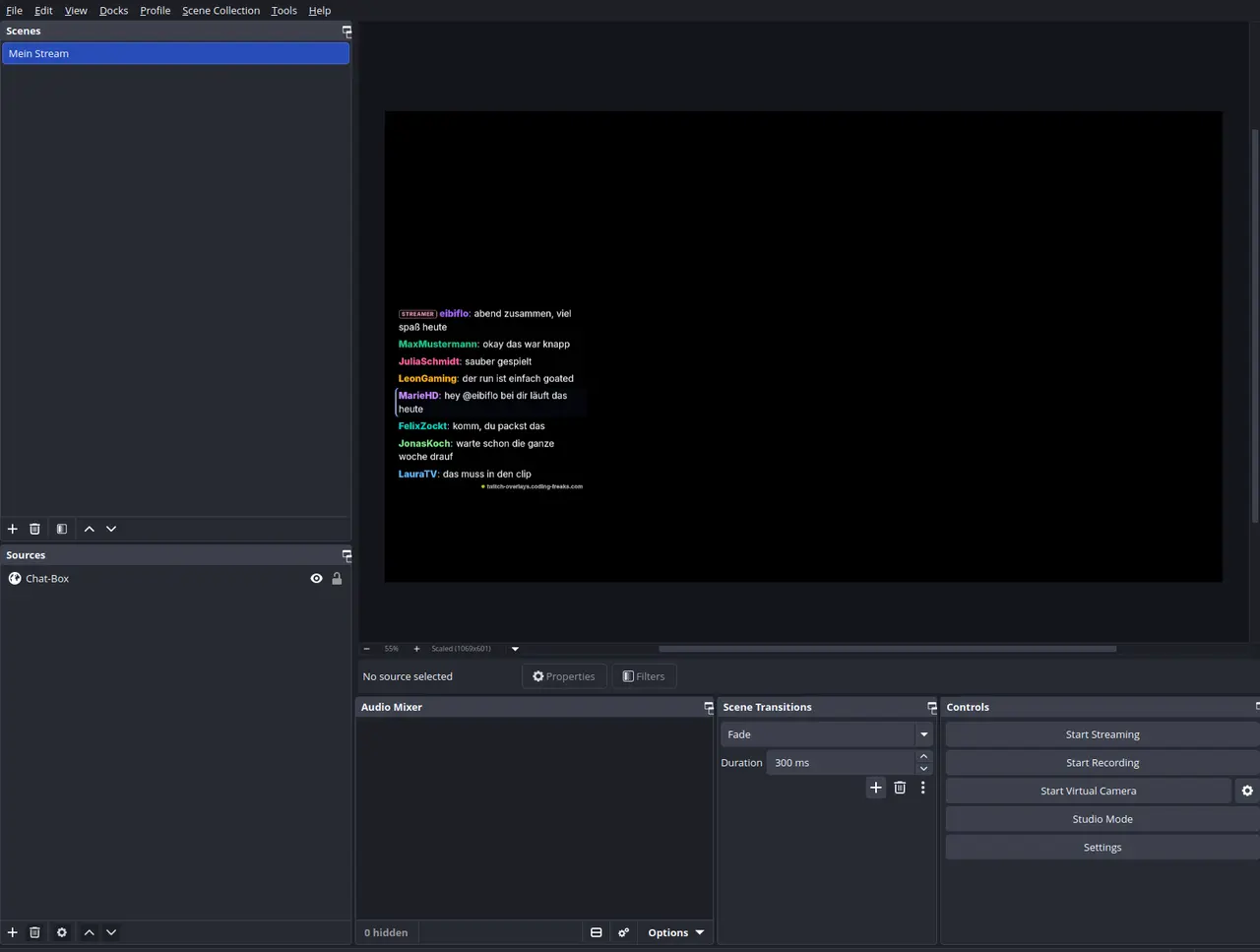
The finished result: a single source in the scene, a transparent background, and messages arriving right in the OBS preview. -
06
Filter out bots and commands
The moment a loyalty bot starts posting, half your on-screen chat is point bookkeeping. The chat overlay cleans that up out of the box, you do not have to do anything. It hides every message starting with an exclamation mark (the
hideCommandsswitch sits in the Config Hub under All settings for this overlay), and Nightbot, StreamElements, Streamlabs, Moobot, Sound Alerts, Fossabot and Wizebot are already on thehideBotslist. Further names go intoignoreUsersinconfig.js. The Config Hub deliberately does not show these two lists as input fields. -
07
Make it readable
The most common mistake is type that is too small. A large share of your viewers watch on a phone, and anything under roughly 20 pixels stops being readable there. Give the text an outline or a shadow so it stays legible over bright game scenes, and keep about 40 pixels of distance from the edge of the frame.
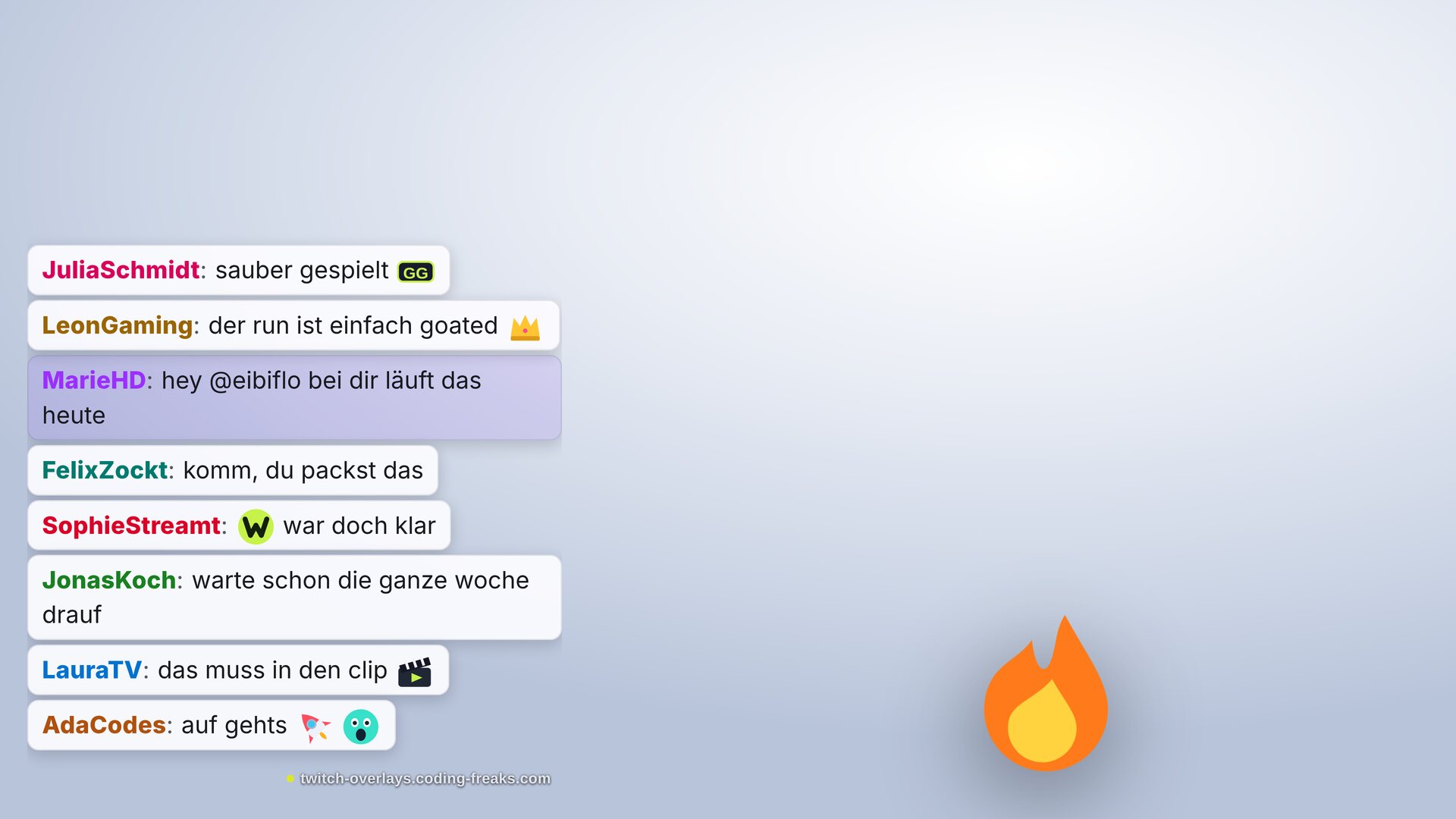
Over bright footage plain text stops carrying. Here every line sits on its own surface, which holds up better than an outline alone.
Frequently asked
// In short
Why is there a black box behind my chat?
Because Twitch's popout page brings its own background. A browser source does not make a web page transparent, it just displays it. Either you override the background with your own CSS, or you use an overlay that draws transparently in the first place.
Why are my 7TV or BTTV emotes missing?
The popout chat only knows Twitch's own emotes. 7TV, BTTV and FFZ are browser extensions, and those do not exist inside OBS. An overlay that queries those services itself shows the emotes on stream as well. My chat overlay loads all three.
Does this work with Kick?
Through a browser source yes, using the Kick chat address instead of the Twitch one. The chat overlay can read Kick through Streamer.bot, though I have not verified that against a real Kick setup yet.
Do I need a bot for this?
No. A chat overlay only reads along and never replies. You need a bot once something should actually happen in chat, for example with the game overlays that take a points stake. Those points come from your chat bot, not from Twitch channel points.
Does a second browser source cost performance?
A chat source costs noticeably less than a game scene, but it does run. If you use several overlays at once, tick Shutdown source when not visible everywhere. Then only the sources of the scene currently on air stay alive.
Last updated on October 11, 2026.
Chat Overlay
View and download this overlay.