
Set up the Ball Drop overlay in OBS
Your chat drops a ball, the pins decide, the slot at the bottom pays.
The Ball Drop overlay is a Galton board for your stream. It is free and ready to go.
Step by step
// How it works
-
01
Install it from the Config Hub
Open the Config Hub, pick Ball Drop, enter your Twitch channel name and choose a folder when you save. Ball Drop is free, so there is no account to create. The hub needs Chrome or Edge; in other browsers it hands you a zip instead. What it writes into that folder is covered in the general guide.
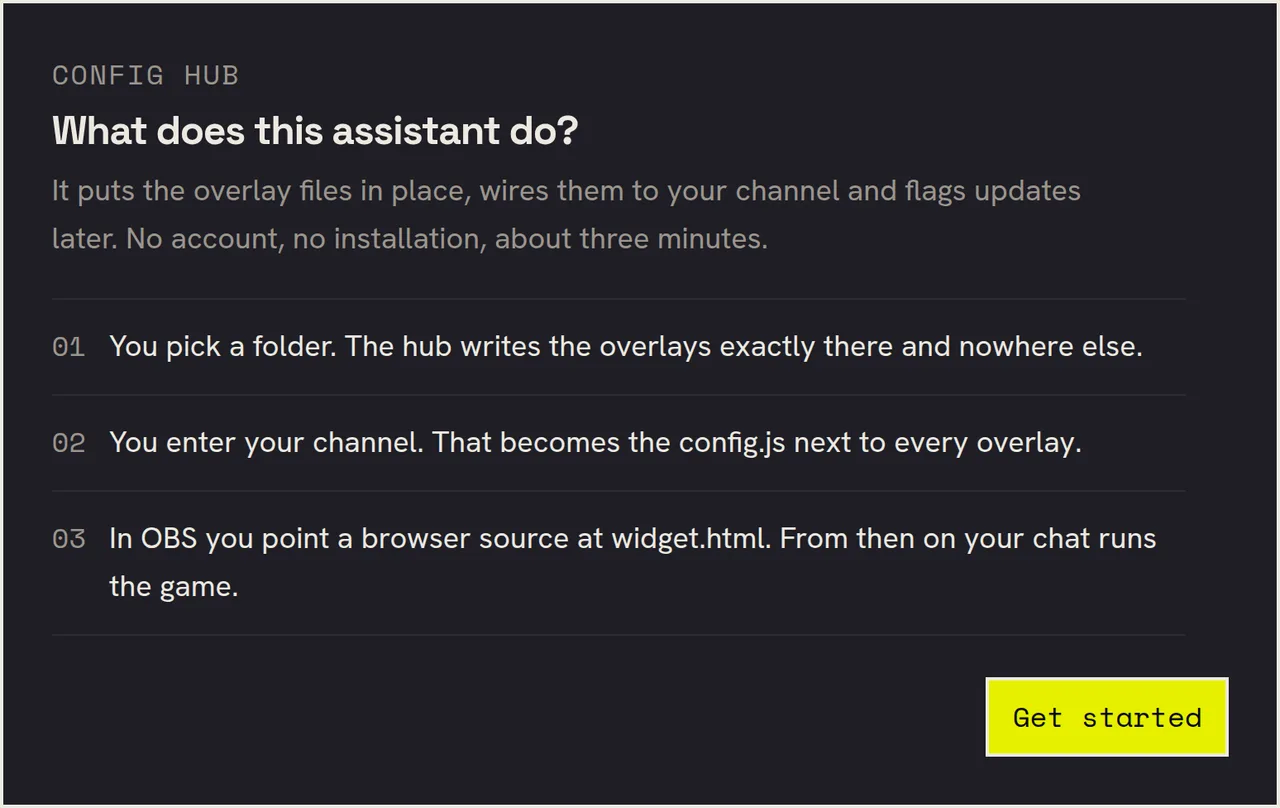
The hub states what it is about to do before it touches anything. Step 3 in that list is the only one left for you afterwards. -
02
Add it as a browser source in OBS
In OBS click the plus under Sources, then Browser. Tick Local file, select the
widget.html, set Width 1920 and Height 1080. The hub shows you the full path at the end, ready to copy. If you get stuck on any of that, the general browser source guide walks through it in more detail.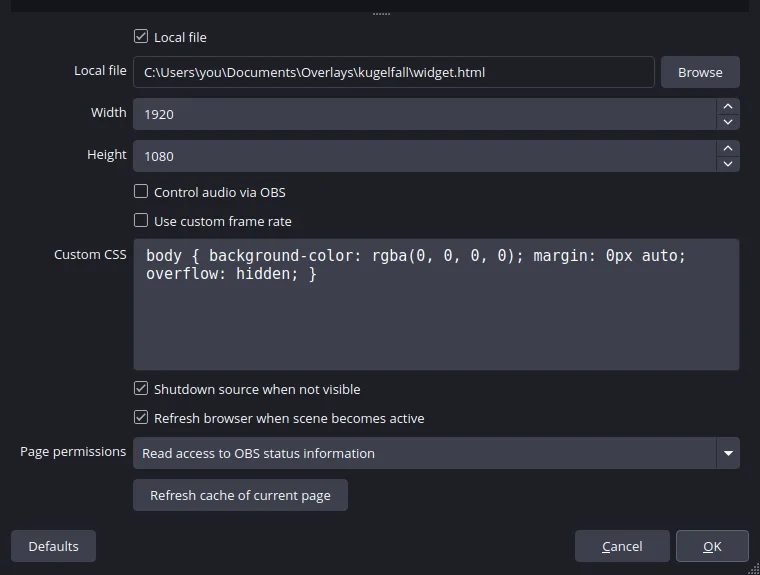
These four entries are all it takes. The path is the folder you picked in the hub, shown here as a Windows example. 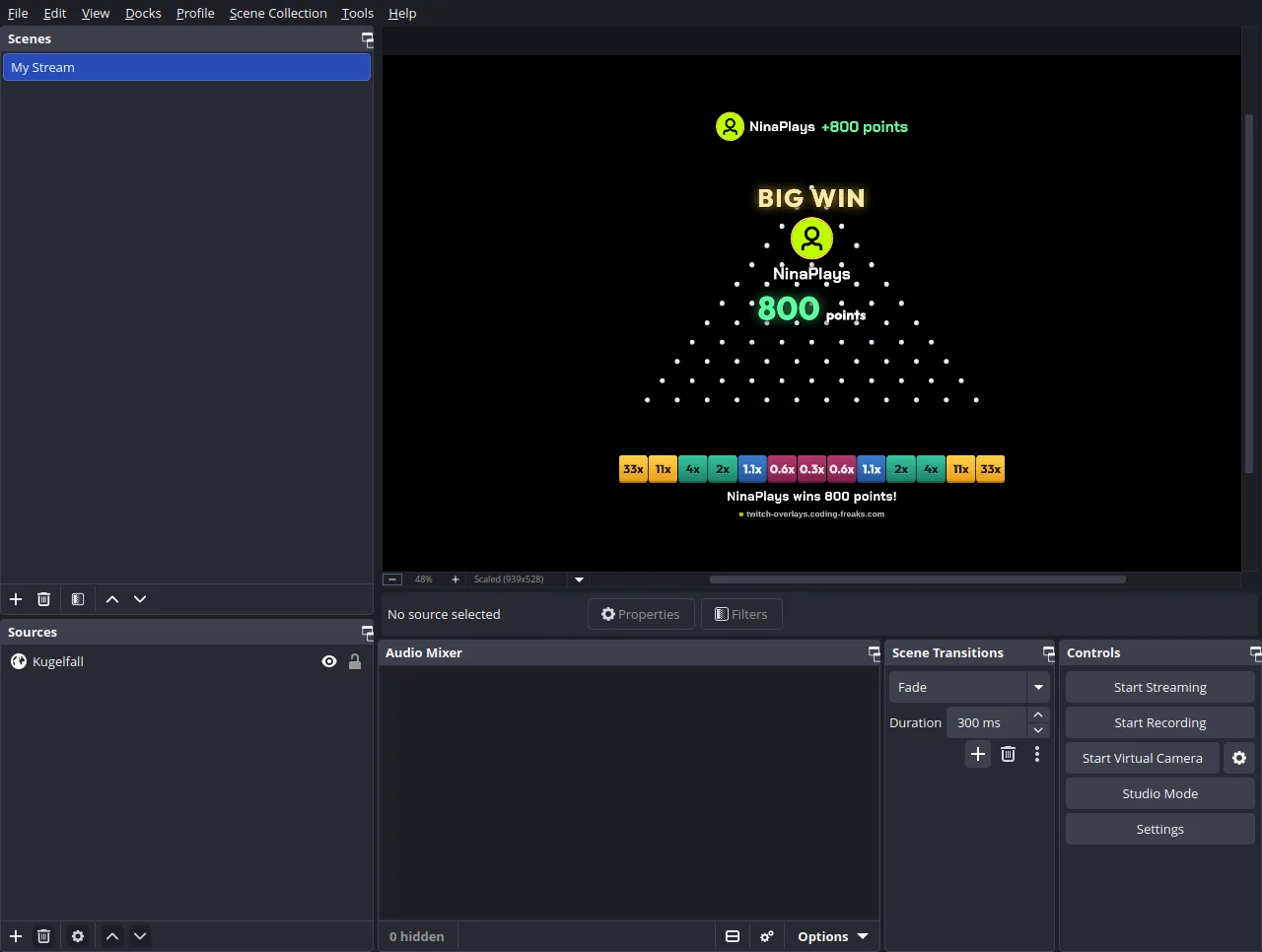
The finished result: a single source in the scene, the rest of the canvas stays free for your game and your camera. -
03
Drop the first ball
Type
!kugelin your own chat. The ball falls through the pins, and the slot at the bottom decides the multiplier: the high ones sit at the edges, the low ones in the middle. Straight after setup Ball Drop runs in fun mode, so nothing is deducted and nothing is paid out, the overlay only shows what the result would have been. Which is exactly what you want before real points are involved.One command, three balls, three different paths. This is the part a still of a Galton board cannot show: the slot is decided on the way down. -
04
Switch to real points
For a drop to cost something you need two things. First a bot that keeps the points: in the hub's Channel step you open I use a bot and pick Streamer.bot, StreamElements or Firebot, and the Streamer.bot connection guide goes through that in detail. Second the Play with points box right below it (in
config.jsit is calledenableCost). Later you find the switch in the overlay's settings under All settings for this overlay. After that the command reads!kugel <stake>, for example!kugel 250, andplinkoMinBetandplinkoMaxBetbound what people may wager. -
05
Set the character
Four dials make the difference, all in the Config Hub under Settings. The risk profile decides the payouts: low lets almost every ball pay something, high makes the middle lose most of the time and the edges win big. Balls per command allows a whole cascade at once. Board size fits it to your scene, and Always visible decides whether the board sits in frame permanently or only appears during a drop. Refresh the browser source in OBS once after any change.
Frequently asked
// In short
How does my chat play?
With !kugel. Once real points are on, the stake follows, so !kugel 250, and optionally the number of balls, so !kugel 250 3. There is a short cooldown between two drops by the same person so nobody can hog the board; you set its length in the hub.
Nothing happens when I type !kugel
Check three things: is your channel name right in the hub, did you refresh the browser source after setup, and is a drop already running? While a ball is falling, further commands queue up and are played one after another.
Are the points paid out automatically?
With Streamer.bot, StreamElements or Firebot, yes, winners get their points credited straight away. That means your chat bot's own currency, not Twitch channel points, which nobody but Twitch can hand out. Without a bot the overlay shows a ready-made payout command for you to send yourself.
Can I set the payouts myself?
Yes. Either through one of the three risk profiles, or through your own payout table: one factor per slot, left to right, an odd count and symmetric. Leave the table empty and the risk profile applies again.
Can I open the game only for a while?
Yes. With enableRoundWindow the !kugel command is closed by default, and a mod opens a 60 second window with !startkugeln 60. Whoever got a drop in plays it out, then the board disappears again. Handy when Ball Drop is meant to be a segment rather than a permanent fixture.
Last updated on October 3, 2026.
Ball Drop
View and download this overlay.