
Set up a death counter in OBS
Deaths, fails or bicep curls on screen, counted from chat or with a click in an OBS dock.
The Death Counter is a counter for your stream. Out of the box it counts deaths, but it works just as well for fails, push-ups or how often your chat types a certain word. You count in chat with !plus or with a button in a dock inside OBS. It is free and needs no account and no bot, it reads your Twitch chat directly. The overlay itself is in German or English, the video is German.
Read with AI
Step by step
// How it works
-
01
Set it up in the Config Hub
Open the Config Hub, pick the Death Counter, enter your Twitch channel and click Next. Tick the terms of use, choose a folder and save. The hub needs Chrome or Edge.
-
02
Add it as a browser source in OBS
In OBS click the plus under Sources, then Browser. Tick Local file, choose the
widget.htmlin thegames/zaehlerfolder, width 1920, height 1080, OK. The counter sits in the bottom left of your scene by default, the corner is set in the hub under Position in the scene. If any of these moves trips you up, the general guide to browser sources walks through them in detail. -
03
Choose what gets counted
In the hub, open Change the look on the Death Counter. Preset offers ready-made sets: deaths, push-ups with a goal of 100, fails, tinfoil hat, water with a goal of 8 glasses, and wins and losses. Below it you turn that into your own counter: title, unit and goal, for example Bicep curls, curls, 50. With a goal the card shows "of 50" and a bar up to it. Save, then refresh the source in OBS once so it reads the new settings. The counter keeps its value, even when you change the title.
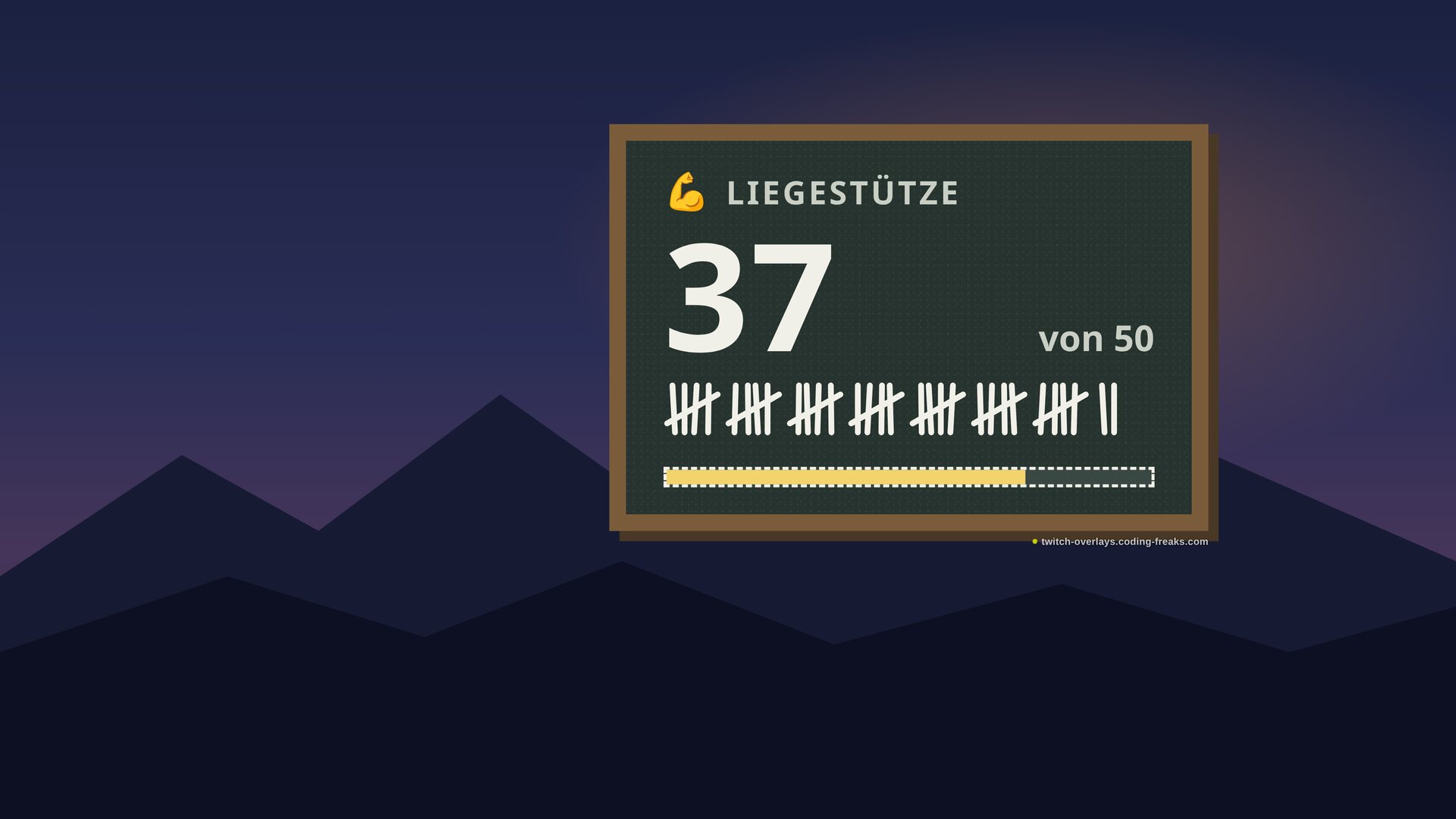
With a goal: "of 50" next to the number, the bar below. -
04
Count in chat
!pluscounts one up,!plus 3three at once.!minuscounts down,!set 47sets the value to a number when someone miscounted, and!resetgoes back to the start value. A line the counter cannot read, such as!set abc, changes nothing. Wins and losses puts two counters in one source, so you name the one you mean:!plus wins. -
05
Who may count
Out of the box only you and your mods can count. When a viewer types
!plus, nothing happens, and that is on purpose: otherwise the counter would hit a thousand within five minutes. To open it up, go to All settings of this overlay on the Death Counter in the hub. In the Commands block, Who may sets for each command whether Everyone, Mods or only you can use it, and you can rename the commands there too. That helps when another overlay in the same stream also listens for!setor!reset. -
06
Add the control panel as an OBS dock
The most comfortable way to count needs no chat. The control panel is a second page next to the overlay, the
host.html, and it goes into the OBS window as a dock instead of into a scene. Enter the path of your folder once in the OBS step of the hub, and the finished address for the control panel appears there, ready to copy. In OBS open Docks in the top menu bar, then Custom Browser Docks (up to OBS 29 it sits under View). Enter a name, paste the address from the hub, Apply. The panel has plus, minus, a number field with Set, and Back to start. None of it shows up on stream, the dock is part of OBS, not a source. Do copy the address from the hub: the dock and the source only find each other when both addresses have the same form. -
07
Count a word in chat
The counter can also count how often a word comes up in chat, without any command. The tinfoil hat preset does exactly that with the German word Aluhut. For your own word, enter it under All settings of this overlay in Count a word in chat. Every message containing the word counts once, even if it appears five times, so spam does not push the number up. Only the whole word counts: "gg" matches "gg wp" but not "eggs".
Frequently asked
// In short
Does the count survive a restart?
Yes. The value survives an OBS restart, a scene switch and refreshing the source. Only !reset or Back to start in the control panel resets it.
What if the source sits in two scenes?
Both show the same number, and a !plus still counts only once. The copy opened first takes chat and control panel, the others mirror its value.
Can I show several counters of my own at once?
Wins and losses brings two counters in one source, side by side or stacked. Several counters with titles of your own are a manual edit in the config.js in the overlay's folder, the hub names the first counter.
Do I need a bot or an account?
No. The counter reads your Twitch chat directly and never writes to it. There are no points and no sign-in, just the HTML file in OBS.
Death Counter
View and download this overlay.