
Win Challenge Twitch Overlay
A list of goals across several games, a hard time limit, and a forfeit everybody knows about.
The win challenge format as an overlay. The countdown runs against a real clock time, so it survives a reload, a scene switch or a crash to the second. Driven from chat, or by mouse from a director panel that sits as a dock in the OBS window and never enters the stream. No stake, no points, no server.
Set up in your browser, about three minutes. Easiest in Edge or Chrome.
Video guide (2:16)Set up the Win Challenge overlay in OBS
!win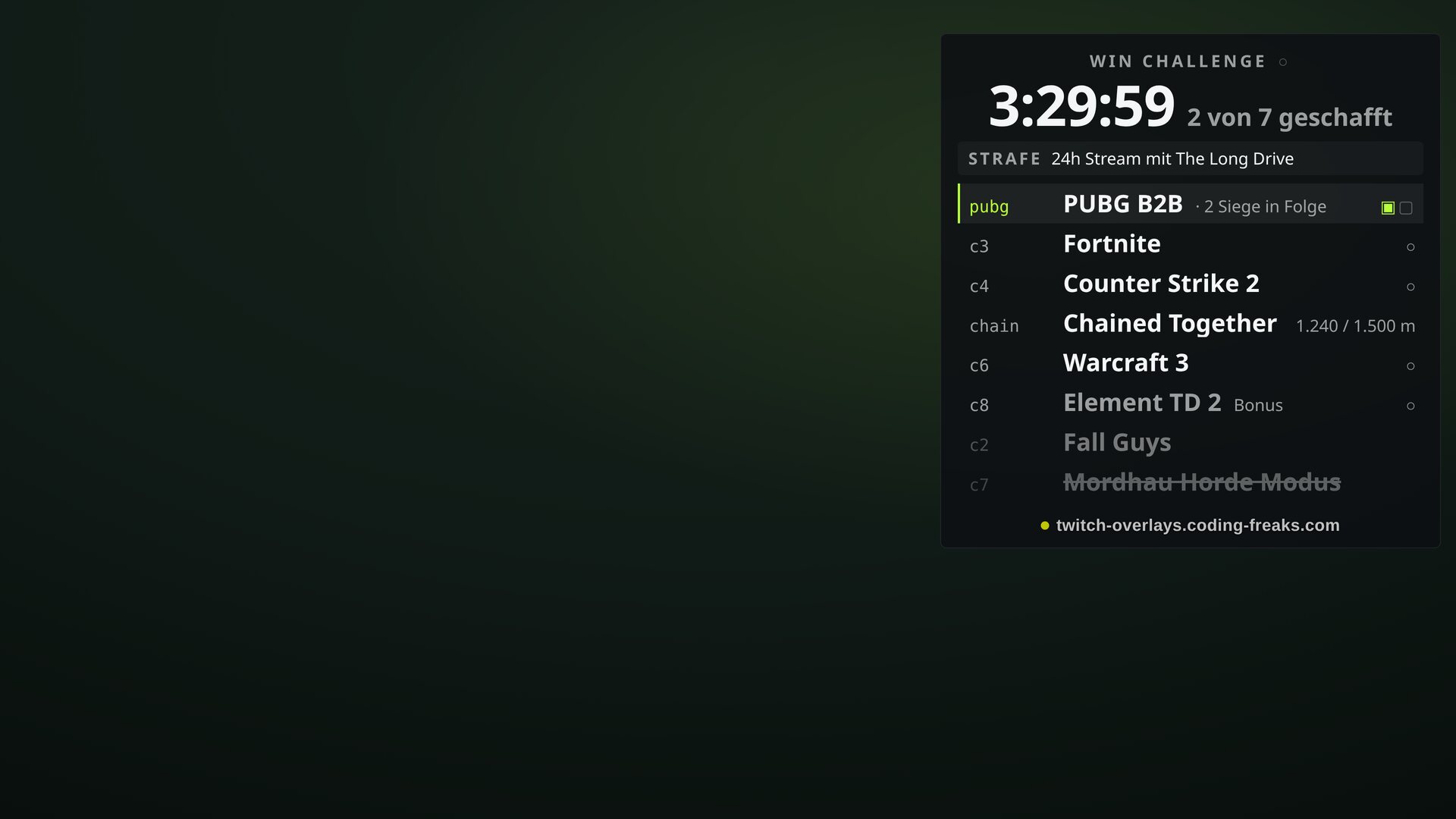
What this overlay does
// In short
Your chat remembers every task better than you do, which is why the whole run stays on screen. The countdown is the biggest thing in frame, counts against a real deadline rather than by summing ticks, and therefore survives every scene change, every restart and every pause to the second. Each challenge carries a short key printed clearly at the start of its row: what is on screen is what a mod types, and it never changes, not even when a challenge is dropped. Challenges can be simple ticks, counters like win three times, B2B streaks where a loss visibly knocks the counter back to zero, or measured values with a unit such as 1,500 metres. Because a run lasts hours, the exceptions are the real substance: pause and resume without losing a second, credit or deduct time, swap, rename, strike or skip a challenge with a joker, renegotiate a target, and undo one step. If two mods report the same win at the same moment it still counts once. Anyone who would rather not learn chat commands can run the whole thing with the mouse: the director panel is a second page that sits as a dock in the OBS window, stays open for the whole run and never enters the stream. Every challenge is a row with its own buttons there. For group runs there is a team mode with participants, assignment and a team bar, in which each participant may report their own challenges without mod rights. Two themes, dark and light, nine positions, a compact mode. As an OBS browser source it is a single HTML file.
Features
// What's inside
Chat commands
// What your community types
| Command | Who | Effect |
|---|---|---|
!win [key] | Mod | Report progress, without a key on the active challenge |
!fail [key] | Mod | Report a loss, resets a streak to 0 |
!current <key> | Mod | Set what !win acts on without a key |
!addchal <key> <text> | Mod | Add a challenge mid-run |
!undo | Mod | Undo the last action |
!wc start 4h | Mod | Start the run, also 3h30, 240 or until 22:00 |
!wc pause | Mod | Stop the clock, !wc weiter resumes |
!wc zeit +30m | Mod | Credit time, or deduct with -15m |
!wc skip <key> | Mod | Skip a challenge using a joker |
Key settings
// What you tweak in config.js
durationMin- Time limit in minutes, 240 is four hours
penalty- The forfeit in plain words, shown large on the overlay
challenges- The challenge list, one line of text per challenge is enough
onTimeUp- At zero: count overtime, fail immediately, or just stop
jokers- How often a challenge may be skipped
participants- Participants for a group run
theme- arena dark or papier light
layout- One of nine positions in frame
doubleGuardSec- Double-report guard for chat, in seconds. 0 disables it
commands- Command names and who may use them
Screenshots
// From the overlay